Mild Slope Equation in COPs
A member of the CGWiki Discord Group asked how others would handle wave diffraction, the phenomenon where waves bend around obstacles. The ideal setup would be creating realistic Wave Motion using only a terrain depthmap. They tried replicating an amazing technique from a LinkedIn Post by Dan Fitzgerald, which uses Curves in a Sopsolver to fake the behaviour.
Since i had some freetime and the topic really fascinated me I did some research and stumbled upon the mild slope equation a partial differential equation used in coastal engineering that describes how water waves pile up and curve around terrain. Unlike basic ripple solvers, this approach respects bathymetry (measurement of depth underwater, depthmaps in CG terms) waves naturally slow down, pile up (shoal), and bend (refract) as they enter shallow water. Since the desired output was a Texture I decided to tackle this directly in COPs.
Parameters
The architecture is split into two OpenCL kernels. A pre-calculation pass converts a depth map into a “speed map”, that tells the solver how fast waves can move and how much energy they hold, based on the depth.
The depth map values need to be converted to meters: values from 1-10m represent a shore region, 10-50m deeper ocean, and so on. Values below 0 (e.g., -1) indicate land.
The pixel_size is also a measurement in meters, where a pixel_size of 1 means the pixel area is 1m wide. larger areas result in slower moving waves, crank up the loop iterations if you don’t feel like waiting. base_damping controlls the generall energy loss over time. dt is the classic simulation step, increase to get faster but less accurate, decrease to get more accurate but slower.
Edges
I had a lot of problems with handling the edges, because of that I added sponge_width that controlls the size of the absorption border and sponge_power. The current “solution” is to fade out waves at the edges if you don’t want them to reflect, which is a bit fiddly. Perfect fadeout requires a bigger sponge_width. If you need crisp borders, add some Overscan and crop it afterwards.
Size 0.0 / Power 0.0:
Mirror Wall. Wave bounces back perfectly.
Size 0.15 / Power 0.2:
Open Ocean. Wave fades away gently (no border).
Beaches
Top: beach_threshhold: 10 beach_decay: 0.0025
Bottom: no decay
The way the Mild Slope Equation works it naturally decreases wave speed when the depth is low, but since we aren’t doing real science here and are mainly interested in good looking results I added a “beach zone” which aggressively decays wave height in shallow zones even more. The beach_threshold controlls at which depth in meters the beach_decay kicks in, speeding up the energy loss of waves breaking on sand.
This enables more controll to prevent artificial “hard wall” reflections, creating shores where waves naturally fade away.
Waves
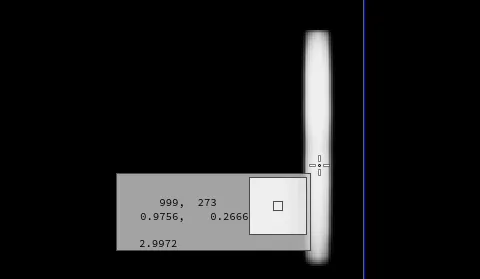 Checking waveheight using the Inspect tool
The actual waves are handles through a texture where the brightness controlls the strength, 0 = no waves & 0 > = waves you can crank up the brightness a lot to make the waves bigger. To controll the actual waveheight you have to check the values in the output. The animation of the waves is pretty important for believeable results, im just using modulo to turn them on/off but fading them in will probably yield better results.
Displacement
the solver also outputs motion vectors for the waves. convert those to uv and plug them into a distort COP and you’ll get some nice water waves. Looks suprisingly good in my opinion.
Download
Grab the file on Gumroad here (it’s free, but feel free to support me if you wish!)